HighLevel / CRM / Costs
What Does HighLevel Really Cost? Every Fee, Usage Charge and Hour, Explained
The full cost of a HighLevel CRM account for a business: the subscription, usage for email, phone, text, WhatsApp and AI, add-ons like Ad Manager and a dedicated IP, marketplace apps, and the time it takes to build and run it.
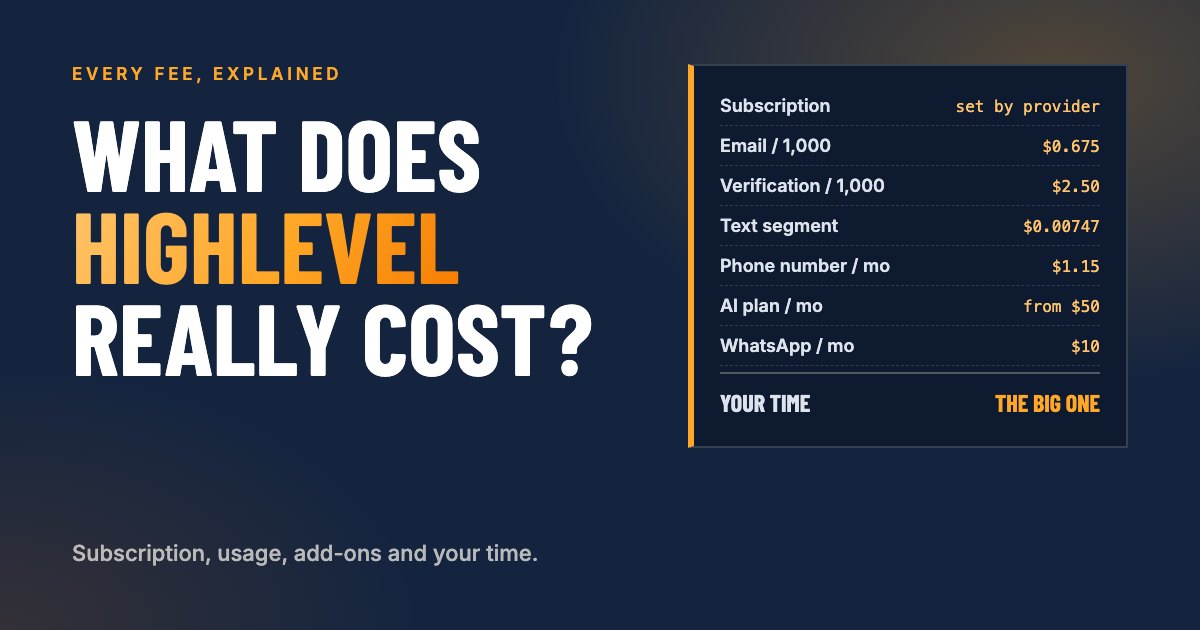
HighLevel pricing looks simple from the outside: one monthly price, everything included. Inside an account, it works differently. There is a subscription, then usage charges for every email, text, call and AI reply, then optional add-ons, then apps from the marketplace. And behind all of that sits the cost nobody puts on an invoice: the time it takes to build the system and keep it running.
This guide breaks down every cost a business using a HighLevel CRM account can run into, ordered by how much it matters to a typical business, from most to least. For each, it explains what it is, what drives it, how it gets paid, and HighLevel’s own starting price.
The short version: the subscription and your time are the two big costs. Usage for email and texting is usually small for most businesses, and phone and WhatsApp grow with how much you use them. A dedicated IP, Ad Manager, AI, other add-ons and marketplace apps are optional and only matter for specific needs.
An important note on prices
Your price is set by whoever provides your account, not by HighLevel.
HighLevel sells its platform to agencies. Each business gets a sub-account under an agency account, and the owner of that agency account decides what you pay: for the subscription, for usage, and for add-ons. They may pass HighLevel’s prices through unchanged, bundle usage into a fixed monthly fee, or set their own prices entirely.
The prices in this guide are HighLevel’s own published prices as of September 2026, taken from HighLevel’s help center. They show the starting point, not necessarily what appears on your invoice. HighLevel also changes its prices from time to time, and many rates differ by country. Always check with your account provider and in your account’s billing settings.
How do you pay for HighLevel?
Costs reach you in one of three ways, and it helps to know which is which:
- Included in your subscription. The monthly fee covers the platform: contacts, pipelines, calendars, forms, workflows, websites and most features.
- Charged from your wallet. Usage (emails, texts, calls, AI, verification) is deducted from a prepaid balance in your account, which tops itself up from your card when it runs low. You find it under Settings, Billing.
- Billed as a monthly add-on. Some features, such as WhatsApp, a dedicated IP or an AI plan, are a fixed monthly charge, usually to the card on file.
Depending on your provider, usage and add-ons may be charged to you directly, or included in a fixed monthly fee you pay them. Either way, someone pays for them, and the figures below show what drives the cost.
Overview: every cost, ordered by importance
| Cost | HighLevel starting price | Matters for |
|---|---|---|
| 1. CRM subscription | Monthly, set by your provider | Everyone |
| 2. Your time | Not billed, but real: hours to build and run it | Everyone |
| 3. Email and verification | $0.675 per 1,000 emails; $2.50 per 1,000 verifications | Almost everyone |
| 4. Phone, texts and calls | $1.15 a month per number; $0.00747 per text segment | Businesses that text or call |
| 5. WhatsApp | $10 a month, plus Meta message fees | Customers who use WhatsApp |
| 6. Dedicated IP | $59 a month | Very high email volume only |
| 7. Ad Manager | Free; ad spend paid to Meta or Google | Ads run from HighLevel |
| 8. AI | $50 a month plan, or pay-per-use | AI replies or calls |
| 9. Other add-ons | From $10 a month, depending on the add-on | Specific needs |
| 10. Marketplace apps | Free to paid, set by each app | Specific needs |
1. The CRM subscription
The subscription is the fixed monthly price of your account. It is usually the single largest line item and the one that stays the same every month.
HighLevel starting price: not sold directly to businesses. HighLevel’s own plans are for agencies. Your subscription price is set entirely by the provider of your account.
What to ask or check:
- What is included? Some providers include a usage allowance (for example a number of emails or texts), some include setup or support, some include nothing beyond the platform.
- Are there tiers? Some features, such as AI, WhatsApp or extra users, may sit in higher tiers.
- Is there a minimum term? Monthly, annual, or a commitment period.
Compare it with what it replaces. A single HighLevel account often replaces a separate CRM, email marketing tool, scheduling tool, form builder, website builder, texting service and review tool. Adding up what those cost separately is the fairest way to judge the subscription.
2. Your time: building and running it yourself, or having it done
The cost that never shows up on an invoice is often the largest one. HighLevel can do a great deal, but it does nothing until someone sets it up, and it keeps working only if someone looks after it.
Building it
A proper setup covers the business profile and compliance settings, users, integrations, custom fields and tags, forms, calendars, workflows, the email sending domain and testing. Our step-by-step guide to setting up a HighLevel sub-account covers it in detail.
As a rough guide, for someone new to HighLevel:
| Setup | Typical time if you do it yourself |
|---|---|
| Basic setup: profile, users, one form, one calendar, one workflow, email domain | 1 to 3 days of focused work |
| A working lead system: several forms and calendars, pipeline, follow-up and reminder workflows | 1 to 3 weeks, alongside running the business |
| Website or landing pages, integrations, migrating data from another tool | Add days to weeks, depending on size |
Most of that time is not clicking buttons. It is deciding things: which fields you need, how a lead should be followed up, what the emails say, and fixing the things that did not work the first time.
Running it
Once it is live, a CRM needs regular attention:
- checking that workflows still run and emails still arrive
- adjusting follow-ups as your offers change
- keeping contacts, tags and pipelines clean
- watching the wallet, sending reputation and reports
- adding new forms, pages and automations as the business grows
For most businesses that is a few hours a month, more during busy periods or when launching something new.
The three ways to handle it
| Approach | What it costs you | Works best when |
|---|---|---|
| Do it yourself | Your hours, plus the learning curve and mistakes along the way | You enjoy systems, have time, and can wait weeks for it to be fully working |
| Have it set up, then run it yourself | A one-time setup fee, then a few of your hours each month | You want a solid start and are happy to handle day-to-day changes |
| Have it set up and managed | A setup fee and an ongoing monthly fee | You would rather spend your time on customers and the work itself |
A simple way to decide: multiply the hours by what an hour of your time is worth to the business. If building it yourself takes 40 hours and your hour is worth $100 in sales or delivered work, the do-it-yourself setup costs $4,000, just not in cash. The mistakes you avoid and the weeks you gain count too: a follow-up system that works in week one earns money that one finished in month three does not.
3. Email and email verification
Email is the usage cost almost every account has, and at HighLevel’s prices it is one of the cheapest.
HighLevel starting prices:
| Item | Price |
|---|---|
| Emails sent through HighLevel’s email service | $0.675 per 1,000 emails |
| Email verification | $2.50 per 1,000 verifications |
What drives the cost
- Emails sent: every email in a campaign, workflow or one-to-one conversation counts. A newsletter to 2,000 contacts is 2,000 emails.
- Verifications: with the recommended setting “verify email address when first email is sent to a new contact” turned on, each new contact’s address is checked once, before the first email. You pay per check, not per email.
What it looks like in practice
At HighLevel’s prices:
| Monthly volume | Sending | Verification (new contacts) | Total |
|---|---|---|---|
| 2,000 emails, 200 new contacts | $1.35 | $0.50 | $1.85 |
| 10,000 emails, 500 new contacts | $6.75 | $1.25 | $8.00 |
| 50,000 emails, 2,000 new contacts | $33.75 | $5.00 | $38.75 |
Verification is worth every cent. Sending to addresses that do not exist is one of the fastest ways to damage your email reputation, and a damaged reputation costs far more in emails that land in spam.
4. Phone, text messages and calls
Texting and calling have the most moving parts: a number, per-message and per-minute rates, carrier fees, and in the United States a one-time registration before you can text at all.
HighLevel starting prices (United States and Canada):
| Item | Price |
|---|---|
| Local phone number | $1.15 per month |
| Toll-free number | $2.15 per month |
| Text message (SMS), sent or received | $0.00747 per segment |
| Picture message (MMS), sent | $0.022 per segment |
| Outbound call | $0.0166 per minute |
| Inbound call | $0.01165 per minute (toll-free $0.0198) |
| Call recording | $0.0025 per minute |
| Call transcription | $0.024 per minute |
| Carrier fees | Extra per message, for example $0.0035 per SMS on AT&T |
Rates differ in other countries. HighLevel publishes them per country in its phone pricing guide.
Texting registration in the United States (A2P 10DLC)
Before a business can text customers in the US from a local number, it has to register its brand and its messaging use case with the carriers. The fees at HighLevel’s prices:
| Registration | One-time | Monthly |
|---|---|---|
| Low-volume brand | $22.50 | $1.50 to $10.50 campaign fee |
| High-volume brand | $64.00 | $10.50 campaign fee |
This is where your legal business name and address from the business profile matter: they have to match your official registration exactly, or the registration is rejected and resubmitted.
What drives the cost
- Segments, not messages. A text is split into segments of about 160 characters (fewer with emojis or special characters). A 300-character message is two segments, charged twice.
- Both directions count. Incoming texts and calls cost too, not only outgoing ones.
- Carrier fees come on top of the per-segment price and differ by carrier.
What it looks like in practice
A business with one local number, sending 500 two-segment texts a month (for example appointment reminders), receiving 200 single-segment replies, and making 3 hours of calls:
| Item | Cost |
|---|---|
| Number | $1.15 |
| Texts: 1,200 segments at $0.00747 | $8.96 |
| Carrier fees: roughly 1,200 at $0.0035 | about $4.20 |
| Calls: 180 minutes at $0.0166 | $2.99 |
| Low-volume campaign fee | $1.50 to $10.50 |
| Monthly total | about $19 to $28 |
Plus the one-time registration. Calls with recording and transcription cost a little more per minute.
5. WhatsApp
For businesses whose customers prefer WhatsApp, HighLevel connects it to the same inbox as email and text.
HighLevel starting price: $10 per month per sub-account, plus Meta’s per-message charges.
What drives the cost
- The monthly fee applies as soon as WhatsApp is enabled, whether or not you send much.
- Template messages. Messages you start (for example reminders or promotions outside an ongoing conversation) use approved templates, and Meta charges per message by country and message type: marketing, utility or authentication.
- Replies within a customer conversation have historically been free or very cheap, but Meta has been changing these rules, including charges for some messages inside the 24-hour customer service window from October 2026.
Because Meta sets these rates by country and changes them regularly, check the current rates for the countries you message before planning a WhatsApp campaign.
6. Dedicated IP address
A dedicated IP address gives your email its own sending address on the internet, instead of sharing one with other senders.
HighLevel starting price: $59 per month per dedicated domain.
Do you need one?
Almost certainly not. A dedicated IP only helps at very high, steady volume: HighLevel’s guidance talks about hundreds of thousands to millions of emails a month and a steady minimum every week to keep its reputation healthy. Below that, a dedicated IP can actually hurt, because an IP that sends too little never builds a reputation.
What most businesses need instead is their own authenticated sending domain (with SPF, DKIM and DMARC), which costs nothing extra. See Step 11 of our sub-account setup guide.
7. Ad Manager
Ad Manager lets you create and manage Facebook, Instagram and Google ads from inside HighLevel, with the leads going straight into your CRM.
HighLevel starting price: free. HighLevel does not charge a platform fee for Ad Manager.
What drives the cost
- Ad spend is the real cost, and it is paid to Meta or Google through the connected ad account, exactly as it would be outside HighLevel.
- Your provider may charge for it, for example a fixed fee or a percentage of the ad budget run through HighLevel, especially if they manage the ads for you.
Ad Manager is a convenience, not a requirement. You can run ads directly in Meta or Google and still capture every lead in HighLevel with good tracking; see our guide to UTM parameters in HighLevel.
8. AI
AI is the fastest-growing cost in HighLevel, and the one with the most options. You can pay a fixed monthly price for an AI plan, or pay per use.
HighLevel starting prices:
| Option | Price | What it covers |
|---|---|---|
| AI Employee Growth | $50 per month | Conversation AI up to 1,000 agent responses a month, Voice AI up to 100 minutes a month, plus Content AI and Reviews AI |
| AI Employee Unlimited | $97 per month | Conversation AI and Voice AI without a monthly limit (fair use), plus Content AI and Reviews AI |
| Pay-per-use | No monthly fee | Billed by usage, for example Voice AI from $0.045 per minute plus voice and language model costs |
Some pieces work differently:
- Agent Studio, for building more advanced custom AI agents, is pay-per-use on every plan. You pay for the AI model usage, and for images or video if the agent creates them.
- Workflow AI premium actions start at $0.01 per execution.
- Reviews AI on pay-per-use is $0.01 per review reply.
- Knowledge Base and Email AI are included at no additional cost.
What drives the cost
- Volume of conversations and call minutes. An AI that answers every website chat and missed call around the clock uses far more than one that only drafts replies for you.
- The AI model chosen. More capable models cost more per use.
- Voice. Phone agents cost per minute, and minutes add up quickly with long calls.
A practical approach: start on pay-per-use with one clear use case, such as answering common questions in chat, watch the cost for a month, and only move to a plan once the usage justifies it.
9. Other add-ons you may come across
HighLevel offers further paid add-ons for specific needs. At HighLevel’s prices, for example:
| Add-on | HighLevel price |
|---|---|
| Online listings (directory management) | $30 per month |
| SEO tool (Search Atlas) | $79 per month |
| Premium prospecting tool | $29 per month |
| WordPress hosting | from $10 per month |
| HIPAA compliance | $297 per month, account-wide |
Most businesses never need these. They are worth considering only when they replace a tool you already pay for.
10. Marketplace apps
The HighLevel App Marketplace offers apps from other developers that add features or connect other tools.
HighLevel starting price: from free. Each app’s developer sets its price.
How apps are priced
Apps usually follow one of five models:
- Free
- Flat monthly fee
- Per sub-account, a monthly fee for each account using it
- Usage-based, per action or per unit used
- One-time payment
Payment is handled inside HighLevel, and your account provider may set its own price for apps they make available to you.
Before installing an app, check whether HighLevel already does the same thing natively. Many early marketplace favorites have since become built-in features.
Three example businesses
Usage costs at HighLevel’s prices, per month, excluding the subscription and ad spend. Your provider’s prices may differ.
| Solo service business | Local business with a team | Growing online business | |
|---|---|---|---|
| Emails | 2,000: $1.35 | 10,000: $6.75 | 50,000: $33.75 |
| Verification | 200: $0.50 | 500: $1.25 | 2,000: $5.00 |
| Phone number | $1.15 | $1.15 | $1.15 |
| Texts and carrier fees | 300 segments: about $3.30 | 1,500 segments: about $16.50 | 3,000 segments: about $33 |
| Calls | 60 minutes: $1.00 | 300 minutes: $5.00 | 600 minutes: $10.00 |
| Texting campaign fee | $1.50 | $1.50 to $10.50 | $10.50 |
| None | None | $10 | |
| AI | None | Pay-per-use: varies | AI plan: $50 |
| Approximate total | about $9 | about $32 to $41, plus AI | about $153 |
For most businesses, usage is a small fraction of the total. The subscription and the time to build and run the system are where the real money goes.
How to keep your HighLevel costs under control
- Turn on auto recharge with a sensible threshold, so nothing stops, and check the wallet’s transaction history once a month.
- Keep your email list clean. Verification on, and remove contacts who never open. You pay for every email sent to someone who never reads it.
- Write shorter texts. Two segments cost twice as much as one. Avoid emojis in bulk texts; they shorten segments.
- Do not buy what you do not need. A dedicated IP, extra numbers, add-ons or marketplace apps that duplicate built-in features add cost without benefit.
- Start AI on pay-per-use with one use case, and only move to a plan once usage justifies it.
- Ask your provider what is included, so you know which costs are covered by your fee and which appear on top.
- Count your time honestly. A system that is quick to build but badly set up costs more over a year than one done properly once.
Sources
- HighLevel: HighLevel pricing guide (email, verification, WhatsApp, dedicated IP, add-ons, Ad Manager)
- HighLevel: Phone system pricing and billing guide
- HighLevel: WhatsApp pricing and billing guide
- HighLevel: What is a dedicated IP in LC Email
- HighLevel: Ad Manager permission and pricing
- HighLevel: AI products pricing and AI tools in HighLevel
- HighLevel: Setting up marketplace app pricing
- HighLevel: Wallets explained
FAQ
Frequently asked questions
How much does HighLevel cost for a small business?
It depends on who provides your account and what you use. Your account owner sets the monthly subscription. On top of it come usage charges, which for a typical small business sending a few thousand emails and a few hundred texts a month are usually in the tens of dollars, not hundreds. The biggest cost is often the time to set it up and run it, or the fee for someone doing that for you.
Who sets the price of my HighLevel account?
The owner of the agency account your sub-account sits under. HighLevel sells to agencies, and each agency sets its own prices for subscriptions, usage and add-ons. The HighLevel prices in this guide are what HighLevel charges, so what you pay can be different.
How much does email cost in HighLevel?
HighLevel's price for its own email service is $0.675 per 1,000 emails, and email verification is $2.50 per 1,000 addresses checked. A business sending 10,000 emails a month pays under $7 for sending at HighLevel's price.
How much do text messages cost in HighLevel?
At HighLevel's US rates, starting at $0.00747 per text segment sent or received, plus carrier fees, a phone number from $1.15 a month, and a one-time texting registration (A2P 10DLC) from $22.50 with a small monthly campaign fee. Rates differ outside the US and Canada.
Is WhatsApp free in HighLevel?
No. HighLevel lists WhatsApp at $10 a month per sub-account, plus Meta's per-message charges for template messages, which vary by country and message type.
Do I need a dedicated IP address for email?
Almost certainly not. A dedicated IP costs $59 a month at HighLevel's price and only makes sense at very high volume, in the range of hundreds of thousands of emails a month and a steady weekly minimum. Most businesses are better off on the shared sending infrastructure with their own authenticated sending domain.
How much does HighLevel AI cost?
HighLevel offers AI plans from $50 a month (AI Employee Growth) and $97 a month (AI Employee Unlimited) per sub-account, or pay-per-use with no monthly fee. Voice AI on pay-per-use starts at $0.045 per minute plus voice and language model costs.
Is it cheaper to set up HighLevel myself?
In cash, yes. In time, not always. A careful setup takes most business owners several days of work spread over a few weeks, and running it takes a few hours every month. Whether that is cheaper than paying someone depends on what your time is worth and how quickly you need it working.

Written by
Konstantin von BrockeFounder of Ímpetu Consulting. Konstantin runs marketing, websites and CRM systems for owner-led businesses, and builds the tracking that shows which of it pays off.